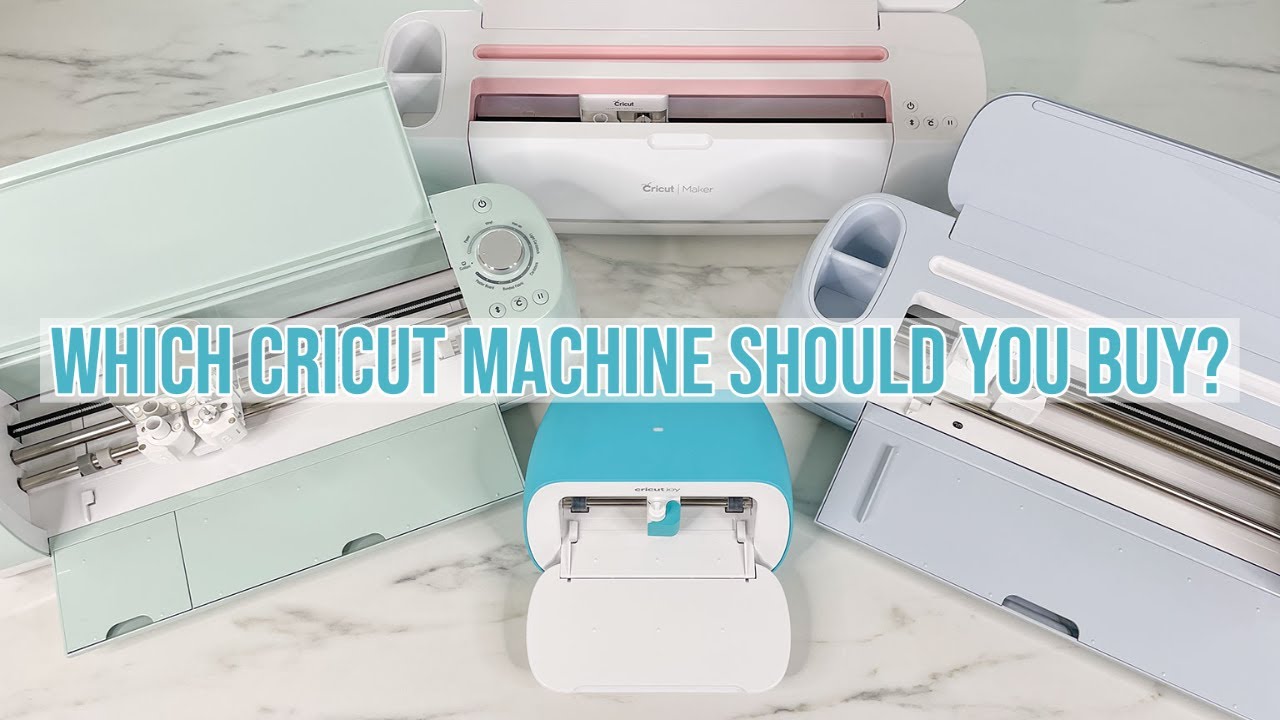
What can you make with a Cricut machine? With the Cricut machine you can make stickers for t-shirts, wallets and bags. Birthday, holidays and greeting cards. Stickers, decals and labels for your home or office. Leather jewelry such as earrings and bracelets.
What is a Cricut machine and what does it do?
The Cricut is a cutting machine. Cut shapes, texts and photos. While many think Cricut can only cut cardstock or vinyl, it can also cut faux leather, sticky paper, cork, etc.
What do you do with a Cricut machine?
The machines are used to cut paper, felt, vinyl, fabric and other products such as fondant. The Cricut is one of many electronic dies used by paper craftsmen, postcard makers and scrapbookers.
How do I use my Cricut machine?
Cricut Basics - How Does the Cricut Machine Work? in 10 easy steps
Step 1 : Take the machine out of your pocket.
Step 2 : Plug in the device and open it.
Step 3 : Turn on the device.
Step 5 : Enter the Cricut design space.
Step 6 : Select the Make It Now project to create, modify, or develop your project.
Step 7 : Makes a selection on the Smart Set wheel.
Can I make money with my Cricut?
The first step to making money with Cricut Expression is choosing the crafts you want to sell. The possibilities are endless, including greeting cards, creating stencils for use on painted walls or objects such as flower pots and furniture, and creating self-adhesive vinyl decorations for any painted room.
What things can you make with a cricket?
Cricket flour can be used as an additive in consumer products such as pasta, bread, crackers and cookies. Cricket meal is used in protein bars, pet food, animal feed, nutraceuticals and other industrial applications.
 Do you know what a Cricut is?
Cricut is a cutting machine that is the short answer that allows you to cut and make beautiful and beautiful crafts from materials you never knew existed. Depending on the model, you can also draw, engrave, and create fold lines to create 3D designs, greeting cards, boxes, and more.
 What can you make with a cricut machine explore
So many possibilities and also a nice gift idea for young and old! With Cricut Explore Air 2 you can make your own layered paper decorations in no time. Cutting identical pieces is quick and easy. I love making charms and pendants by stacking cut cardstock and pretty capsules.
What can you make with a Cricut Maker?
His biggest hobby is cutting vinyl decals and decals and that is of course possible with Cricut Maker. You can cut any vinyl quickly and easily; all you need to do is create your design in the Cricut Design Space, let the machine begin cutting, weeding, and transferring the design to the surface of your choice.
Is the Cricut explore 3 compatible with the roll holder?
Roll holder: Both machines are compatible with the new roll holder. This new tool makes it much easier to cut directly from rolls rather than sheets, and it keeps your vinyl flat and smooth during cutting and unloading. So what new projects can you do with the Explore 3 machine?
Can a Cricut machine cut through craft foam?
Cricut machines have always said they can cut craft foam, but we've found that the result is never as perfect as you'd like. In the case of the Cricut Maker, this is not the case: with a force of 4 kg, this machine cuts the craft foam like butter, leaving the Explore machines in the dust. Boxes and 3D shapes.
What to make with Cricut?
One of my favorite things to do with my Cricut is t-shirts, jumpsuits and tote bags. You can apply heat conductive vinyl to almost any fabric surface, but you can also use Cricut to make jewelry, headbands and more!
What is the Cricut machine differences?
The main differences are that the Cricut Explore One has one bogie, while the Cricut Explore Air and Air 2 have two bogies. The Cricut Explore Air 2 offers the highest performance of any Cricut Explore machine. The double guides allow the craftsman to draw and cut without having to stop to change tools.
What is a circuit maker?
CircuitMaker is an electronic circuit design automation software for hobbyists, hackers and manufacturers. CircuitMaker is available as free software and equipment developed with it can be used for commercial and non-commercial purposes without restrictions.
What is a cricut machine and what does it do for kids
A Cricut machine is a small electronic device that can cut and draw shapes on paper and other materials such as vinyl and fabric. It's essentially a Newage paper cutter, but with lots of cool features, like the ability to create your own designs on the machine itself.
What materials does the Cricut Maker cut?
The Cricut is a personal cutter that can cut a wide variety of materials. You can cut materials up to a millimeter thick with the deep-ground blade. It can be chipboard, magnetic board, foam rubber, cardboard, cork and even wood.
Which mats can I use with my Cricut machine?
Cricut Joy Mats LightGrip Matte Blue - For thin materials such as carbon paper, self-adhesive vinyl and iron. StrandardGrip Matt Green: for medium density materials such as glossy cardboard, infusion paint, glossy iron, corrugated cardboard. You can also use paper and cut it to the same size as standard cards.
 What is a cricut machine and what does it do for people
Cricut is a tabletop cutting machine that allows you to cut vinyl, fabric and other materials. The Cricut machine is similar to a computer printer, but uses cutting blades instead of toner to cut letters, designs, and graphics from paper, vinyl, wood, fabric, and more.
What is a Cricut machine and how does it work?
Cricut is an electronic cutting machine that allows you to skip cutouts and cartridges from older models to complete your projects. Design projects can be selected from ready-made projects (Make It Now projects in Design Space) or upload your own images to create your own designs.
How does a Cricut work?
The simplest explanation is that the Cricut Explore is an electronic cutting machine that looks a bit like a printer. But instead of printing his designs on paper, he uses a high-precision blade and a series of rollers to cut almost anything he can think of.
What is a cricut machine and what does it do for you
The Cricut is a die cut machine that can cut a variety of materials for your craft projects, such as paper, vinyl and cardstock. Some Cricut machines can even use precious woods, leathers, fabrics, etc. You can connect Cricut wirelessly to your computer, create designs, or download them to your computer and send them to Cricut to cut.
What is a cricut machine and what does it do for the world
Cricut is a cutting machine, the short answer, that allows you to cut and create beautiful, beautiful handcrafted products from materials you never knew existed. Depending on the model, you can also draw, engrave, and create fold lines to create 3D designs, greeting cards, boxes, and more.
What is a cricut machine and what does it do for money
The Cricut machine is a personal cutting machine, also known as a DIY cutter or plotter. These machines used to be quite expensive and bulky, but are now affordable and compact as a desktop printer. In fact, they resemble an office printer in many ways.
What is cricket crafting?
Craft crickets are part of a movement to change the way Americans get protein. As pressures on the world's population and climate growth increase, their proteins must be produced sustainably, both locally and in small urban environments.
What is a Cricut cutter?
Cricut is a trademark of the cutting machine (slicing machine) manufactured by Provo Craft & Novelty, Inc. What exactly does Cricut do? The Cricut cutter works like a printer. You create an image or design using computer software and then send it to the machine.
What is a cricut machine and what does it do for your hair
The Cricut Maker is the newest and most advanced machine in the Cricut line of products. You can cut (and stamp, mark and engrave) a variety of flat workpieces smaller than 2.
What kind of cutting machine is a Cricut?
The simplest explanation is that the Cricut Explore is an electronic cutting machine that looks a bit like a printer. But instead of printing his designs on paper, he uses a high-precision blade and a series of rollers to cut just about anything he can think of. The Cricut line of cutting machines has been around for many years.
What tools do you need to use a Cricut?
What Cricut Tools Do I Need: Sewing Tools. On Sale: Rotary cutter sold separately and sewing kit includes fabric scissors, needles and pincushion, fabric scissors, seam cutter, tape measure and thimble.
What can you make with the Cricut Maker?
The Cricut Makers rotary blade also cuts very thin materials such as corrugated paper without breaking it. If you love making paper flowers, Cricut Maker is your new best friend.
Where to buy a Cricut machine?
Buy Cricut Maker in USA/Canada. If you live in the US/Canada, you can purchase Cricut Maker directly from the Cricut website by clicking here.
Is Cricut Design space free?
- Choose from over 60,000 stock photos, fonts and layouts, or use your own FREE images and fonts
- Upload and edit most types of images (.jpg, .gif., .png, .bmp, .svg, and .dxf)
- Log in with your Cricut ID to access your images and designs, and easily pay for purchases in or within the design space.
How does my Cricut connect to my computer?
- Plug the smaller end of the USB cable that came with the Cricut into the USB port on the back of the Cricut.
- Plug the other end of the USB cable into an available USB port on your computer.
- Open the Cricut Design Studio or Sure Cuts a Lot software on your computer.
- Turn on the Cricut machine.
How does a chalk Couture logo work on Cricut?
All you had to do was upload the Chalk Couture logo image. That's all. Cricut Design Space will automatically convert it to Print Then Cut! I first sent it to my printer, which was loaded with full-size Avery label paper (see image above). I then attached the printed label to the Cricut cutting mat and loaded it into my Cricut Maker.
How can I use Cricut to make logo stickers?
Logo sticker. It was so easy to do with Cricut Print Then Cut. All you had to do was upload the Chalk Couture logo image. That's all. Cricut Design Space will automatically convert it to Print Then Cut! I first sent it to my printer, which was loaded with full-size Avery label paper (see image above).
Can you use Cricut to print then cut?
Logo sticker. It was so easy to do with Cricut Print Then Cut. All you had to do was upload the Chalk Couture logo image. That's all. Cricut Design Space will automatically convert it to Print Then Cut!
How to make chalk paste on a cutting mat?
As always, place the Heat n Bond vinyl on the green cutting mat in the left corner. Click Create. After clicking and viewing your image or text on the mat, click and drag a bit to leave space between the image or page. When it comes to chalking, I like the little safety edge. Click Continue.
How do Cricut machines work?
“ are electric and must have power to function. It has a small computer inside that controls the cutting blade like a printer controls an ink nozzle. Because you can control where the blade cuts through the material, you don't need a manual die.
How to use my cricut machine model crv001 for making heat transfer
With the flexibility you can carry and the precision you need to get your lighting projects right, the Cricut Crv001 DIY is more fun and doable wherever you are. The versatile cartridge allows the machine to cut complete shapes, sentences and letters from lightweight materials on parchment, paper, cardstock and vinyl.
Can a Cricut die cutting machine be used with computer?
Can the Cricut CRV001 be used with a computer? The Cricut cutting machine is widely used for scrapbooking. In addition to using a cutting machine, you can also connect it to your computer. After logging in, you have the option to use your design software to create drawings before cutting them. Click here for a full answer.
How does a Cricut printer work without a computer?
Simply place the paper on the cutting mat, place it in the machine, insert the cassette and create a cutting area. Then you can click on Cut. Most importantly, the cartridge system works independently, without the need for a computer.
What is the speed of the Cricut CRV 001?
The speed knob allows the Cricut Crv 001 to cut accurately in a speed range of 1 to 51/2. The speed setting depends on the type of material you are working with. If you are using a slightly more delicate material, consider using 1 to avoid tearing.
How do I put Cricut on my computer?
Connect one end of the USB cable to Cricut and the other end to your computer's USB port. Then turn on the Cricut machine. Open the Make the Cut program on your computer. Save the previous version of the Make the Cut software and the Cricut software module to an external storage device.
How do I set up my Cricut?
Follow these steps to set up your Cricut Explore, Explore One, Explore Air, Explore Air 2 or Cricut Maker computer: Windows / Mac. IOS / Android. Plug in your device and turn it on. Connect your device to your computer with a USB cable or perform Bluetooth pairing. Go to in your browser.
What materials can I cut with Cricut?
Cut wood with the Cricut. The Cricut is a personal cutter that can cut a wide variety of materials. You can cut materials up to a millimeter thick with the deep-ground blade. It can be chipboard, magnetic board, foam rubber, cardboard, cork and even wood.
What is a cricut machine and how does it work
The Cricut machine is similar to a computer printer, but uses cutting blades instead of toner to cut letters, designs, and graphics from paper, vinyl, wood, fabric, and more. Also, when people talk about Cricut machines, they usually refer to cutting machines.
What is a cricut machine for crafts
Simply put, Cricut is a patented vinyl cutter or computer-controlled smart cutting machine that engraves shapes and designs from a variety of materials. Gadgets have become a versatile yet expensive tool used to create everything from home decor and greeting cards to posters and T-shirts.
What is Cricut used for?
Cricut is a trademark for a range of household cutting machines (or cutters) used for scrapbooking and various projects and manufactured by Provo Craft & Novelty, Inc. (aka Provo Craft) from Spanish Fork, Utah. The machines are used to cut paper, felt, vinyl, fabric and other products such as fondant.
What was the original cricut machine called?
The original Cricut was the first Cricut machine produced. Requires 6 x 12 cutting mats. Affectionately referred to as Baby Bug or sometimes referred to as V1 for Version 1. The Original Cricut 101 eBook Lesson teaches you how to use all the buttons on your Cricut Original! You will learn:
What can you create with Cricut machine?
There are many things you can do with Cricut: Create personalized cards for special occasions: party invitations, greeting cards, thank you notes and more. Create personalized shirts, hats or bags with Ironon vinyl (thermal transfer printing). Make your own static vinyl window decals. Cut out squares for quilting and applications. Print and cut out the stickers.
What is a cricut machine youtube
The Cricut machine is a manual cutting machine. This post contains affiliate links and the YouTube video is sponsored by Cricut. As always, all options are mine. Cricut cutters can cut materials such as vinyl, cardstock, paper, etc.
